

Business Process Mapping from Scratch
Konrad Bachowski
Tech lead, HeyNeuron

Business process mapping is nothing more than visually mapping out, step-by-step, how specific tasks are performed in your company. It's not about creating complex diagrams for art's sake – it's a strategic tool that mercilessly shows where money and time are really being lost. It reveals hidden bottlenecks and tasks that serve no one and nothing.
How process mapping uncovers hidden company potential
Many companies operate out of habit, relying on unwritten rules and the old adage, "if it ain't broke, don't fix it." The problem is that this approach leads to small, daily inefficiencies accumulating over time, creating significant operating costs. Business process mapping acts like an X-ray for an organization—scanning every workflow and showing what's actually happening beneath the surface.
Instead of relying on managers' intuition, you get hard data. Visualizing a simple process, such as onboarding a new customer, can immediately reveal that documents circulate between three departments waiting for approval, even though they could be approved in parallel within a single system. This is a discovery that, without a process map, could remain unnoticed for years.
From chaos to operational clarity
The true power of mapping lies in transforming complex, often chaotic procedures into a simple diagram that anyone can understand. When the entire team sees the same picture, discussions about what can be improved become much more constructive and to the point.
Moreover, employees gain a broader context of their work. Suddenly, they start to understand how their tasks affect subsequent stages and the final outcome for the customer. This, in turn, builds a sense of responsibility and naturally encourages proactive seeking of improvements in their own area.
Process mapping is the first, absolutely essential step to any digital transformation or automation. You cannot automate chaos – you must first organize and understand it.
In practice, this means that before you invest in expensive software, you know exactly which specific problem it's supposed to solve. This order protects against implementing tools that don't fit the company's real needs, which is one of the most common and costly mistakes in IT projects.
Measurable benefits supported by data
Process mapping is not theory, but a practice that brings very real savings. It is simply the foundation of effective management, which is confirmed by hard data. Just look at the market – according to industry reports, already 67% of medium and large enterprises in Poland have implemented formal mapping procedures. This is a huge leap, considering it was only 32% in 2018.
The table below gathers the most important benefits companies report after implementing mapping. These are not promises, but real results observed in the market.
Key benefits of implementing process mapping
| Benefit | Description | Sample result (market data) |
|---|---|---|
| Cost reduction | Identification and elimination of unnecessary steps, waste of resources (time, materials), and tasks that can be automated. | Average 10-18% savings on operating costs annually. |
| Efficiency increase | Workflow streamlining, shortening task completion time, and eliminating bottlenecks. | Identification of 15–25% redundant activities in analyzed processes. |
| Quality improvement | Standardization of actions reduces the risk of human error and ensures repeatable quality of products or services. | Reduction in the number of errors and complaints by 20-40%. |
| Better customer experience | Shortened service time, faster order fulfillment, and more consistent communication with the customer. | Increase in Customer Satisfaction Score (CSAT) by 10-15%. |
| Foundation for automation | A clear process map is a prerequisite for the successful implementation of automation and AI tools. | Companies with documented processes are 3x more likely to succeed in IT implementations. |
As you can see, a deep understanding of your own operations is no longer a luxury reserved for corporations. It's simply a necessity. You can read more about this in the analysis of business process mapping benefits on bbquality.pl.
Why understanding processes is crucial today
In today's market realities, where speed, flexibility, and service quality count, companies cannot afford to operate blindly. Effective business process mapping is the foundation that enables:
- Scaling your business without proportionally adding headcount and costs.
- Improving customer experiences by shortening order fulfillment times or response times to inquiries.
- Building a real competitive advantage based on operational efficiency, not just price competition.
At HeyNeuron, we treat mapping as the absolute starting point for any automation. Before we propose implementing AI agents or improving any system, we first sit down with the client and jointly create a map. This ensures that our solutions get to the heart of the problem, generating maximum return on investment and actually relieving the team.
Practical methods for creating process maps
Now that you know why you should bother with mapping at all, it's time to get down to specifics. Think of this chapter as a practical workshop. Step-by-step, I'll show you how to create process maps – where to start, how to extract key information from the team, and what visual language to use so the map is understandable to everyone.
I'll say it right away: the key to success is not a complex methodology, but common sense and the involvement of the right people. Before you draw the first arrow, you must precisely define the goal. Do you want to find savings? Or perhaps you're preparing the ground for implementing automation?
Get knowledge before you start drawing
The biggest mistake I've seen in companies is creating maps in isolation from reality – in the quiet of a manager's office who thinks they know how everything works. Nothing could be further from the truth. Process mapping is a team sport. Your most important source of information are the employees who perform specific tasks daily. They know all the nuances, problems, and informal "workarounds" of the system.
The best way to gather knowledge is through workshops with key process participants.
- Invite people from every stage: If you're mapping complaint handling, you need someone from customer service, the warehouse, quality control, and accounting. Everyone has a different perspective.
- Create a safe atmosphere: You must clearly emphasize that the goal is jointly improving work, not evaluation or finger-pointing. People need to feel free to talk about real problems.
- Ask open-ended questions: Instead of asking "Do you do this according to the procedure?", try: "What does your typical day look like? What takes you the most time? What frustrates you the most about this task?".
Remember, a process map should first reflect the current state (AS-IS), not an ideal future vision (TO-BE). You need to understand how things really are, with all their imperfections, to be able to fix them effectively later.
Choosing the right mapping technique
There are many ways to visualize processes, and the choice depends on what you want to achieve and who the map's audience will be. Sometimes a complex notation is overkill. In Poland, three approaches dominate: flowcharts, BPMN notation, and Value Stream Mapping (VSM). Data shows that simple flowcharts are used by over 80% of companies – they are easy to understand and allow for the identification of up to 30% of critical points. Meanwhile, BPMN, as an industry standard, is mainly used in large organizations, where as many as 65% of companies with over 250 employees use this method. You can read more about different techniques in an interesting article on nofluffjobs.com.
Below, I break down the three most popular options.
1. Flowchart This is the simplest and most universal method. It uses basic symbols (rectangles for tasks, diamonds for decisions, ovals for start/finish) to show the sequence of steps.
- When to use it? Ideal for starting out, for simple processes, and for communicating with teams without experience in process analysis. It works great during live workshops.
- Example: Mapping the vacation request approval process. Simple, fast, and clear.
2. BPMN Notation (Business Process Model and Notation) This is an international standard with a much richer set of symbols. It allows for very precise description of who is responsible for a task, which systems are involved, and how information flows.
- When to use it? Essential for complex processes, automation projects (e.g., involving HeyNeuron AI agents), and wherever unambiguous documentation is needed for business analysts and developers.
- Example: Mapping an insurance claims handling process involving multiple departments, IT systems, and external partners.
3. Value Stream Mapping (VSM) This technique, derived from Lean philosophy, focuses not only on steps but also on the flow of information and materials. Key here is distinguishing activities that add value from the customer's perspective from those that are pure waste.
- When to use it? Mainly in manufacturing and logistics companies for supply chain optimization. I increasingly see it in services for lead time analysis.
- Example: Mapping the entire process from a customer placing an order to the delivery of the finished product.
The following infographic summarizes what a well-made map allows you to focus on.
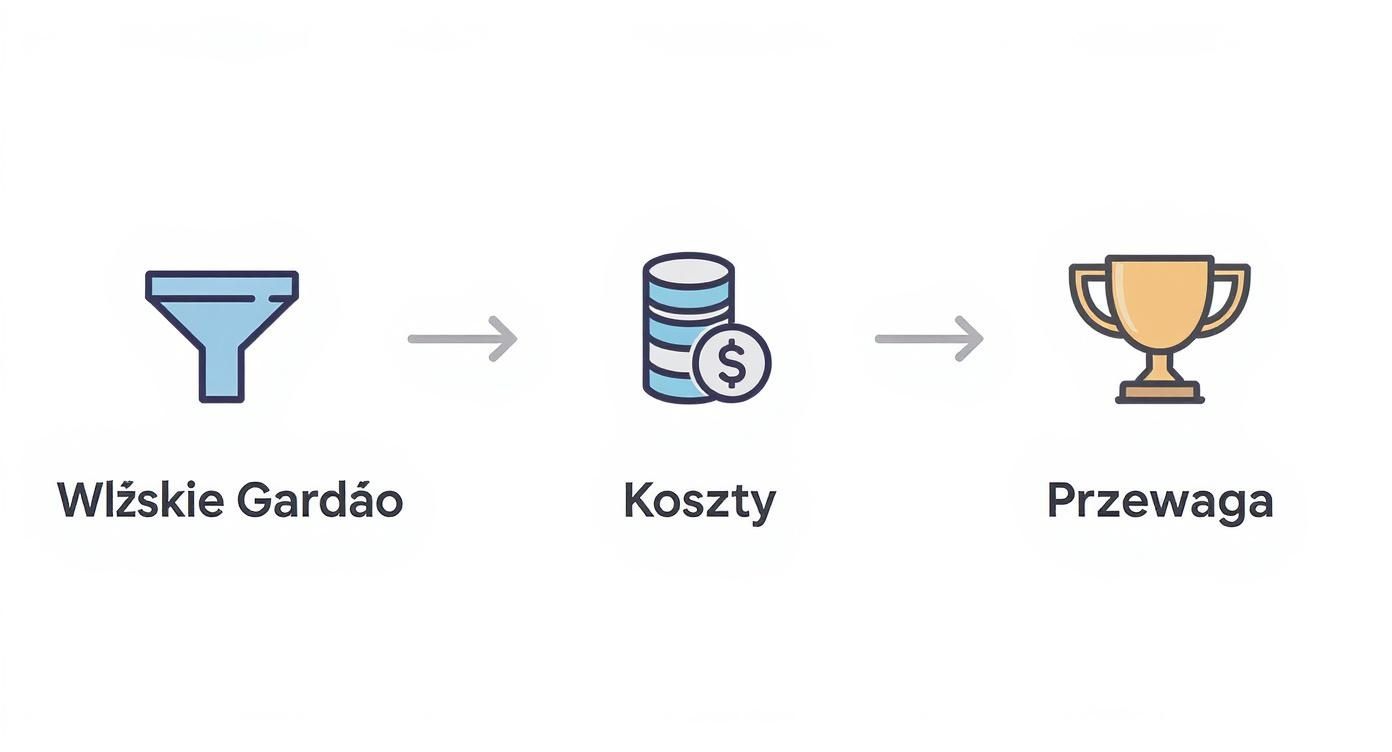
This visualization emphasizes that the goal of the map is not the drawing of diagrams itself, but finding specific points for optimization that translate into money and the company's market position.
Real-life example: complaint handling
Imagine a furniture manufacturing company. The complaint handling process is chaotic, and customers complain about long waiting times. The team decides to map the process using a simple flowchart.
During the workshops, interesting things come to light:
- Customer reports go to a general email inbox handled by several people at once. This leads to delays and confusion.
- A customer service employee manually transcribes data from the email to the CRM system, and then to an Excel sheet for the quality department. (Duplication of work)
- The quality department waits for the physical delivery of the damaged item before making a decision, although a high-quality photo would often suffice. (Bottleneck)
- Refund approval, even for small amounts, requires signatures from two directors. (Unnecessary bureaucracy)
Thanks to this simple map, the team immediately identified four specific areas for improvement. They introduced a dedicated online complaint form, automated data transfer between systems, and changed the monetary thresholds for refund approvals. The result? Average complaint handling time dropped from 14 to 4 days.
This shows that you don't need to implement complex tools right away. Sometimes a piece of paper, sticky notes, and an engaged team are enough to discover the potential dormant in a company. Only in the next step can you implement tools that take over repetitive and time-consuming tasks.
Tools that truly make work easier
A solid strategy is one thing, but without good tools, even the best plan for process mapping can simply get stuck. Fortunately, there's plenty to choose from on the market — from simple, free apps to extensive platforms for corporations. The trick is to match the software to your real needs, not burn your budget on features you'll never use.
Let's start with the simplest solutions. Sometimes you don't need anything more than a digital whiteboard or a basic diagram editor. Tools like draw.io (now officially diagrams.net) are completely free and provide everything needed to draw a clear flowchart. This is a great starting point, especially for small teams or for mapping less complex operations.
When simplicity wins
Free tools have one massive advantage – zero barrier to entry. You don't need to install anything or go through long training, and in a few minutes, you can visualize the workflow during a workshop with the team. The ability to collaborate in real-time makes them surprisingly effective.
Below is a screenshot from the diagrams.net interface.  As you can see, it's clean and intuitive. The basic shapes needed to create a map are at hand, so you can focus on the logic of the process, not on struggling with the program.
Of course, this simplicity has its limits. You won't find advanced features like automatic BPMN diagram validation, process simulations, or integrations with analytical systems in free tools. When processes get more complicated and the goal is not just a drawing but preparation for automation, you need to reach for something more powerful.
Tool selection should always depend on the process complexity and the mapping goal. Investing in expensive software when a simple board would suffice is a classic waste. Always start with the simplest options.
Tools for the more demanding
As a company grows and processes start to resemble a complex web of connections, you need tools that offer more than just drawing. This is where platforms like Lucidchart, Microsoft Visio, and Bizagi Modeler come in. What sets them apart?
- BPMN standard support: They enable the creation of precise maps compliant with international notation. This is key if you're thinking about IT projects and implementing automation.
- Collaboration and versioning: They allow multiple people to work on one diagram, track changes, and comment. Communication becomes much easier.
- Integrations with other systems: They can connect to your CRM, ERP system, or project management tools, opening the door to dynamic process monitoring.
- Analytical capabilities: More advanced platforms offer simulations, allowing you to test potential changes "dry" and estimate their impact on performance.
At HeyNeuron, we very often use tools supporting BPMN. Why? Because a precise process description is the foundation for effective implementation of AI agents. Without an unambiguous map showing all possible paths, exceptions, and decision points, automation is like wandering in the fog – risky and inefficient.
Comparison of popular process mapping tools
To make your decision a bit easier, I've prepared a short summary. Treat it as a cheat sheet to help you match the tool to your specific needs.
| Tool | Best for | Key advantages | Potential drawbacks |
|---|---|---|---|
| Diagrams.net (draw.io) | Small teams, simple processes, quick visualization during workshops. | Completely free, simple interface, integration with Google Drive/OneDrive. | Limited analytical functions and lack of support for advanced BPMN. |
| Lucidchart | Teams needing advanced collaboration and integration with other apps (e.g., Jira, Confluence). | Great team features, rich template library, data import. | Full functionality requires a paid subscription, which can be costly. |
| Microsoft Visio | Companies heavily embedded in the Microsoft ecosystem (Office 365, Teams, SharePoint). | Deep integration with Microsoft products, advanced diagramming options. | High licensing cost, interface can be overwhelming for new users. |
| Bizagi Modeler | Business analysts and companies planning automation (BPA/RPA). | Free version for BPMN modeling, advanced simulations, and documentation generation. | The full Bizagi Suite platform is a high-cost enterprise solution. |
The ultimate choice is always a compromise between features, price, and ease of use. Remember that the best software is the one your team will actually use. Start with free trials, test a few options, and see what best supports your goals related to business process mapping.
How to transform a map into real improvements? Real work begins.
Great, you have your process map. That's a truly solid foundation, but let's be honest – it's only half the way. The real magic begins when that diagram stops being just a pretty picture on the wall and becomes a living tool for implementing changes. A map is a compass that shows where you are. Now it's time to hit the road.
The first move after creating the current state map (AS-IS)? Brutally honest analysis. This is the moment when the team sits together and looks critically for answers to a few uncomfortable questions: Which steps here are absolutely essential? Where are we losing the most time? Are we accidentally doing something twice?
Catch waste and bottlenecks
Any process that hasn't been touched for a long time is like an old attic – full of things that once made sense but today are just gathering dust. This is not just unnecessary costs, but above all, people's lost time and delays that drive customers crazy.
Your map is an X-ray that will scan these problems. Keep your eyes peeled for:
- Bottlenecks: These are the moments where work piles up and waits in a queue, blocking everything else. A classic? One person in the company must sign off on every invoice while the rest of the process runs on autopilot.
- Redundant actions: Do you really need to print this report only to scan it a moment later? Does anyone even read this weekly summary? You must ask these questions mercilessly.
- Repetitive, boring tasks: Manually transcribing data from Excel to a CRM system is a textbook example of work that can (and should!) be automated. It's not just a waste of time and an error risk – it's an ideal task for HeyNeuron AI agents.
The goal is to ruthlessly cut everything that brings no value from the customer's perspective. If a given step doesn't make the product better, the service faster, or the customer happier – it's waste. Period.
When you have it all mapped out, weak points jump out at you. Suddenly, the whole team sees in black and white that a document waits for a signature for three days, lengthening order fulfillment by 50%. Such awareness is the best kick to action.
Define and measure key performance indicators (KPIs)
To move from "I feel" to "I know for sure," you must start measuring. Business process mapping provides the perfect context to finally set sensible performance indicators (KPIs). Without them, any optimization will be shooting in the dark.
Think about what's truly key in a given process. A few examples to have on your radar:
- Cycle Time: How much time passes from start to finish? In logistics, this would be the time from order placement to delivery at the customer's door.
- Cost Per Operation: How much does one pass through the entire process actually cost us? Factor in people's time, materials used, and tools.
- Error Rate: What percentage of processes end in a complaint, a fix, or require intervention because something went wrong?
- Throughput: How many cases can we handle in a given time? E.g., the number of inquiries handled by a consultant per hour.
Having these metrics, you won't just evaluate how things are now, but above all, measure the effects of your actions. If cycle time drops by 40% after implementing automation, you have hard, numerical proof that the investment made sense.
Instill a culture of continuous improvement
The best companies don't do an "optimization project" once every five years. Instead, they introduce a culture of continuous improvement, also known as Kaizen. In such an environment, regular reviews and updating process maps are the norm, not a special event.
This approach is already strongly visible in companies. Research shows that business process mapping is a key element of continuous improvement for them. As many as 72% of companies declare they regularly refresh their maps (at least once a quarter), and 58% implement specific improvements, such as automation, based on this. In one logistics company, such cyclical map analysis saved 1.2 million PLN annually. You can read more about this in the analysis of mapping connections with the Kaizen philosophy on hrbusinesspartner.pl.
What could this look like in practice?
- Set regular reviews: The team that works in a given process daily meets once a quarter to look at the map and KPI results.
- Reward ideas: Employees know best what's not working. Create a system where reporting even small improvements is appreciated.
- Test changes on a small scale: Before turning everything upside down, check the idea in one team or on a selected group of customers.
- Update the map on the fly: Every change in the process must immediately be reflected on the map. Documentation must live with the company.
Thanks to this approach, the organization becomes agile and ready for rapid changes. Instead of great revolutions, you bet on evolution and daily, small steps forward. And that is the true strength of business process mapping – turning a static drawing into a dynamic, endless cycle of improvement.
Most common mistakes worth avoiding

Approaching mapping with enthusiasm is a great start, but there are a few traps along the way. Surprisingly many companies fall into them, and awareness of these risks is the best way to avoid costly mistakes and team frustration.
The biggest sin is mapping for mapping's sake — creating diagrams that then land in a digital drawer and no one returns to them.
Such documentation, devoid of a clear business goal, is a pure waste of time and resources. Before you draw the first arrow, you must know why you're doing it. Do you want to reduce costs? Shorten customer service time? Or perhaps prepare the ground for implementing HeyNeuron AI agents? Without an answer to this question, the whole project loses meaning.
Between generalities and analysis paralysis
Another common problem is finding the sweet spot in terms of detail. On one hand, we have maps so general they're simply useless. A diagram showing the process as "Order received → Fulfillment → Shipping" adds nothing and doesn't allow for finding any problems.
On the other hand, there's the trap of excessive detail. I've seen maps that tried to capture every mouse click and every possible deviation from the norm. Such a diagram becomes unreadable, overwhelming, and practically impossible to maintain.
A good rule of thumb is to focus on the key 20% of actions that generate 80% of results. The map should be a tool, not an encyclopedia. If a step is of little importance from the perspective of the entire process, it's better to describe it in the notes than create a separate branch for it on the diagram.
Adjust the detail level to the goal. If you're planning automation, you'll need more technical details. If you want to improve communication between departments, focus on touchpoints and information flow. Simple.
Ignoring front-line knowledge
This is perhaps the most serious and costly mistake. Business process mapping in the quiet of an office, without the participation of people who perform the work daily, is a direct way to create fiction. Managers often have an idealized picture of how something should work, which has nothing to do with reality.
It's the front-line employees who know all the problems, informal workarounds, and bottlenecks not visible in any official procedures. Ignoring their knowledge is like trying to navigate without a map.
- Lack of involvement: If people don't feel part of the mapping process, they won't be motivated to implement changes.
- Unrealistic maps: Diagrams created "from the top" often omit key nuances, which makes them simply wrong.
- Resistance to change: Employees who have new solutions imposed on them without consultation will naturally resist.
How to avoid this? Workshops involving key process participants are absolutely essential. They are the true experts.
Treating mapping as a one-time project
The last trap is thinking that once a map is created, it's a finished work. Business changes, customers have new expectations, new technologies appear. A process map that isn't regularly updated quickly becomes a historical artifact.
Business process mapping is not a one-time effort, but a continuous cycle. Treat your maps like a living organism that evolves with the company.
Regular reviews, for example once a quarter, allow for keeping documentation in line with reality and identifying new optimization opportunities on the fly. In this way, the map becomes a dynamic management tool, not just a static image.
Frequently Asked Questions (FAQ)
Finally, I have a pill of knowledge for you. I've gathered the most common questions about process mapping and answer them shortly and to the point. Perfect for clearing any last doubts before starting.
Which process to start mapping first in a company?
My most important advice? Don't start with the largest and most complicated process. That's a guarantee for frustration and abandoning the project before it really starts. You must choose something important but simple enough to describe sensibly.
Look for a process that meets at least one of these conditions:
- It's the source of the biggest problems. It could be complaint handling that drags on forever or chaotic onboarding of a new employee.
- It has a direct impact on the customer. A quick win is easiest here. Streamlining order fulfillment will bring results that customers feel immediately.
- It's frequently repeated. Even a minor optimization in a task performed dozens of times a day will translate into massive savings over a year.
By choosing such a process, you'll quickly show the team the real value of mapping. This builds enthusiasm and gives energy for further work.
How often should process maps be updated?
A process map isn't something you create, print in color, and hang in a frame on the wall. Business is a living organism, and processes evolve with it. Therefore, maps must be regularly refreshed.
Treat process maps like a living organism, not a historical artifact. They must reflect reality to be useful.
How often depends, of course, on the company's dynamics. But from experience, I know this schedule works:
- Quarterly review: For absolutely key, strategic processes.
- Annual review: For more stable supporting processes, such as administration.
- Immediately after change: If you're implementing a new IT system, laws change, or you reorganize the team – the map must be updated immediately.
Thanks to regular updates, business process mapping becomes a tool for continuous improvement, not a one-time effort.
How to convince management that it's worth it?
Talking to management is not the time for technical details. Forget about "drawing BPMN diagrams." You must speak the language of benefits and hard data.
Prepare specific, measurable examples. Instead of speaking in generalities, say: "Our complaint handling process takes an average of 14 days, causing us to lose customers and get negative reviews. Mapping it will allow us to find bottlenecks and cut this time in half. This will directly affect customer satisfaction and reduce churn."
Use market data – companies after implementing mapping reduce operating costs by an average of 10-18% annually. Propose a pilot on a small but problematic process. Show that investing a few hours in analysis can bring a return in the form of thousands of PLN in savings. Nothing speaks better to management than numbers.
Want to see how professional business process mapping can become the foundation for effective automation in your company? At HeyNeuron, we start precisely with that – we analyze your operations to implement AI solutions that truly work and bring measurable results. Book a free consultation and discover the potential dormant in your processes.
Article created using Outrank